


Over the last few weeks, I’ve been working intensively with Canva’s possibilities for animating drawings. After my first attempts to find my way around Canva’s video editor were rather unsuccessful, as the program is structured quite differently from a classic video editing program, this time I really got to grips with it. Various YouTube tutorials (e.g. by RonDi) and the fact that I had the time to try out what I had seen immediately helped me. In the meantime, I am thrilled with the possibilities Canva offers to create a beautiful video really easily and quickly. The following video, for example, was created in just a few hours. I had the idea at lunchtime, in the evening I spent two hours to make the drawings and animate them in the video and the next day I invested another hour to add the music and sounds.
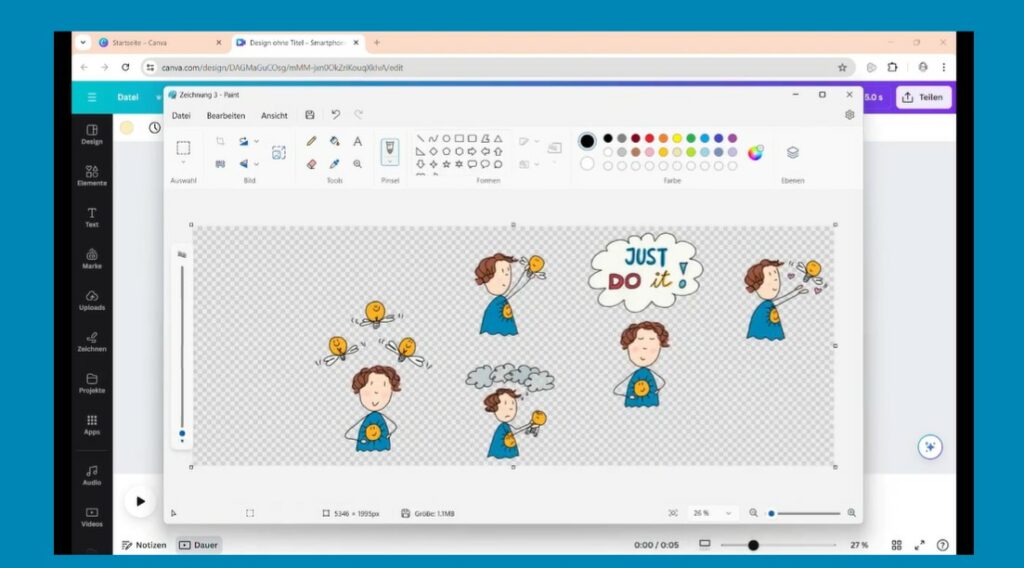
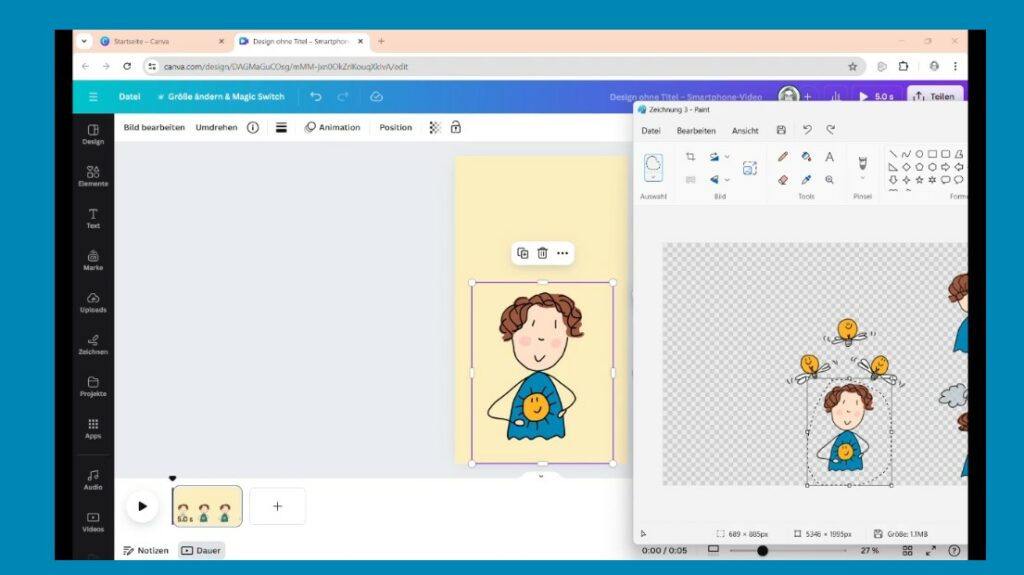
I drew in Concepts and made all the drawings on a single canvas so that I only had to process one file. I then exported this as a .png with a transparent background. To import it into Canva, all you have to do is select the drawings you need with the freehand selection of a drawing program (I simply used paint here) and then copy-paste them into Canva.
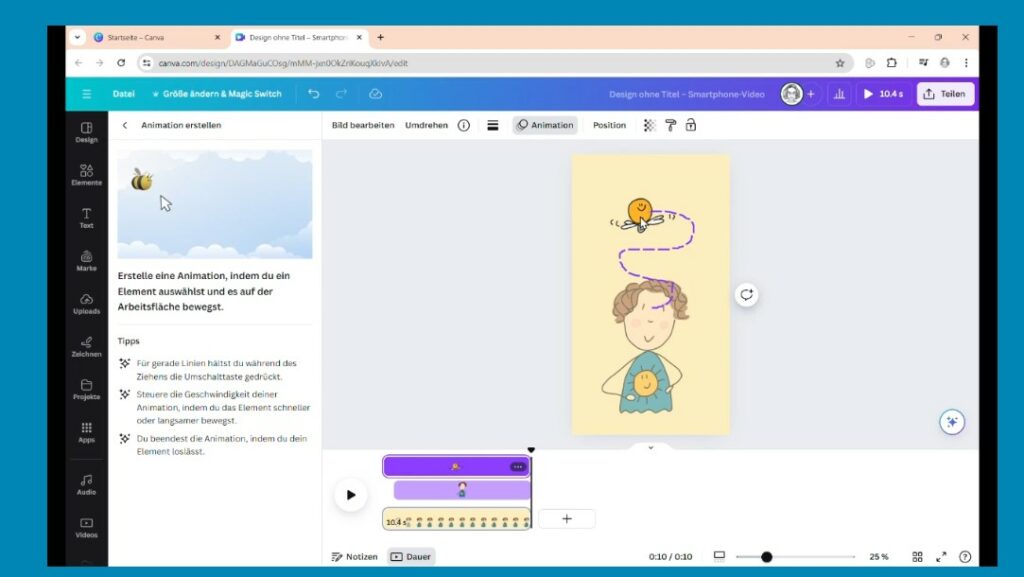
Then I just had to decide on the appropriate animations and add the text boxes. Two years ago I made a font with my handwriting using Calligraphr, which is very handy for projects like this because it adds an authentic handwritten touch. In relation, the soundtrack ultimately took the most time because it wasn’t so easy to find the right sounds and music for the intro. But I think it was worth it. 🙂